of September’s online bookings came through the shop’s own app and website
10
weeks from the start of development to the App Store
3.9%
no-shows on the shop’s own channel
3
languages everywhere: the apps, the website, notifications and the admin panel
Role
Product, design, development, launch and support
Apps
iOS 17+ SwiftUI, Android 8+ Kotlin
Web
Website, web booking, admin panel
Backend
Laravel, two-way sync with Bookla
01
Before: someone else’s booking portal, and the phone
How bookings came in
OWL Barbershop is a men’s barbershop in Jugla, Riga: three barbers and fifteen services, from a classic cut to a father-and-son visit. Its clients speak Latvian, Russian and English.
Online bookings went through Bookla, a third-party booking portal. Everything else came by phone. The shop had no booking channel of its own and no app.
What the shop wanted
Bookings on a channel the shop owns: its own brand in front of clients, its own client list and its own reminders.
And one condition: the switch must not cost a single booking. A barbershop’s calendar is its income, so a launch day that went wrong was not an option.
02
One system, not an app
Two native apps, a website and an admin panel share one booking engine, so a client, a barber and the owner always see the same free times
For clients
Client appiPhone and Android. Book, move and cancel without calling.
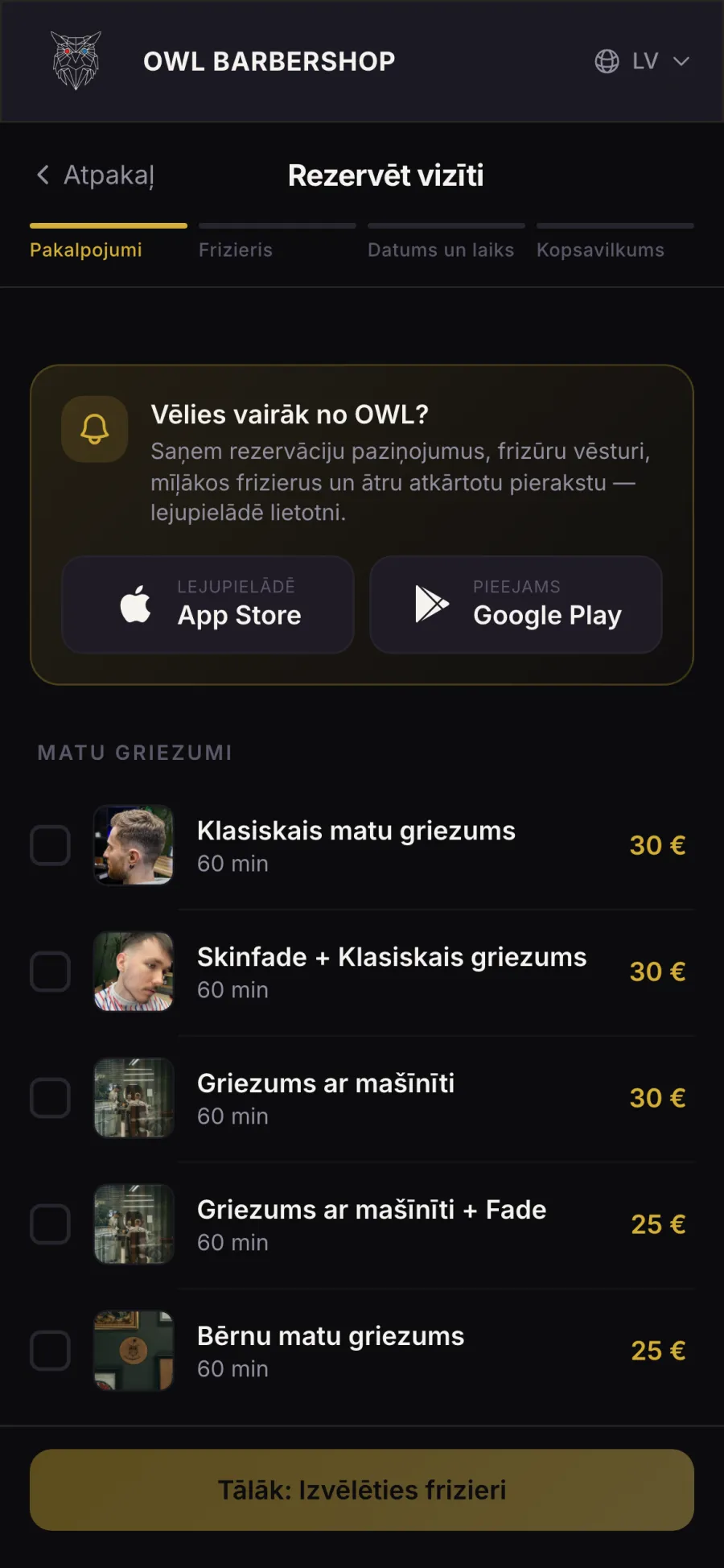
Website and web bookingThe storefront with live prices, and booking in four steps with nothing to install.
QR code at the counterOne printed code: iPhones go to the App Store, Android to Google Play, everyone else to the website.
Booking engineThe one place every booking lives.
Free times from each barber’s hours, breaks and service length
The same time can never be booked twice
Reminders, review requests and “time for your next cut” go out on their own
In Latvian, English and Russian
For the shop
Staff modeThe same apps for the owner, the manager and each barber: requests, the day’s calendar, clients.
Admin panelThe whole shop in a browser, plus marketing and the website’s texts and photos.
Bookla, the existing portalKept running, and kept in step both ways: a booking in either channel blocks the same time in both.
03
Three in four online bookings moved to the shop’s own channel
Bookings clients made themselves, by month of the visit: the shop’s own app and website against the old portal. Cancelled bookings and walk-ins entered by staff are not counted.
OWL app and websiteBookla
1%May
19%June
66%July
60%August
77%September
OWL app and website
Bookla
May
1%
99%
June
19%
81%
July
66%
34%
August
60%
40%
September
77%
23%
31% came back
Almost one in three clients who booked through the shop’s own channel came back for another booking.
3.9% no-shows
Of all the visits booked on the shop’s own channel.
04
The decisions
Seven choices, why we made them, and what each one does for the business
We gave the shop its own channel, and switched over gradually
Switching on one launch day would have meant betting the shop’s calendar on it. So the new channel and the old portal run side by side: a booking in either one blocks the same time in both, and the barbers see one schedule.
Clients moved over at their own pace, and no time can be booked twice.
We didn’t force the app, or an account
Not every client will install an app for a haircut. So the same booking engine also runs on the website: four steps, nothing to install. Regulars get a gentle nudge to install the app.
Signing up is optional too. Clients can book as guests or sign in with Apple or Google, so nobody gives up at a registration form. A name and a phone number are always required, so the barber can reach the client about a change or a missed visit.
About 44% of the bookings clients make themselves come through the website, and 56% through the apps.
The owner keeps control of the chair
Online bookings arrive as requests, and staff approve each one with a tap, in the app or in the browser.
A system that fills the calendar on its own is convenient until it books a time the owner meant to keep free.
Reminders and self-service instead of no-shows
Reminders go out on their own before every visit, by default a day, two hours and an hour ahead. A client whose plans change can cancel up to 2 hours before, or move the booking up to 4 hours before, in the app, without calling.
A time freed early can be sold again. A no-show can’t.
Bringing clients back is automatic
After every visit the client is asked for a review. After a set number of days without a visit, they get a “time for your next cut” message with three free times at their own barber.
The client doesn’t have to remember, and the shop doesn’t have to call.
Everyday changes don’t need a developer
Pausing bookings for a holiday, showing an announcement in the app, editing the website’s texts and photos in three languages, sending a push campaign, creating a promo code: each is a switch or a form the owner uses alone.
A shop that has to call a developer to change something soon stops changing it.
Problems are found by us, not by clients
Push and email delivery are checked every hour, and a failed check alerts us at once. Errors arrive as a daily digest. Every booking keeps its full history, and staff actions are logged.
A booking system that fails quietly loses clients before anyone notices. This one tells us first.
The work did not end at launch either: the iPhone app had nine updates between May and July.
05
A client’s booking, start to finish
Six steps. The shop does one of them by hand.
01
Finds the shop
Scans the QR code at the counter, or opens owlbarbershop.lv. The same code works on every phone.
02
Books
Services, a barber or “any available”, and a time. In the app or on the website, with no account needed.
03
The shop confirms
The request appears in the staff app and the admin panel. One tap confirms it, and the client hears straight away.
04
Reminders
They go out on their own before the visit. Plans changed? The client cancels or moves it in the app.
05
After the visit
The visit is marked done on its own, and the client is asked for a review.
06
The next cut
After a set number of quiet days, the client gets a message with three free times at their own barber.
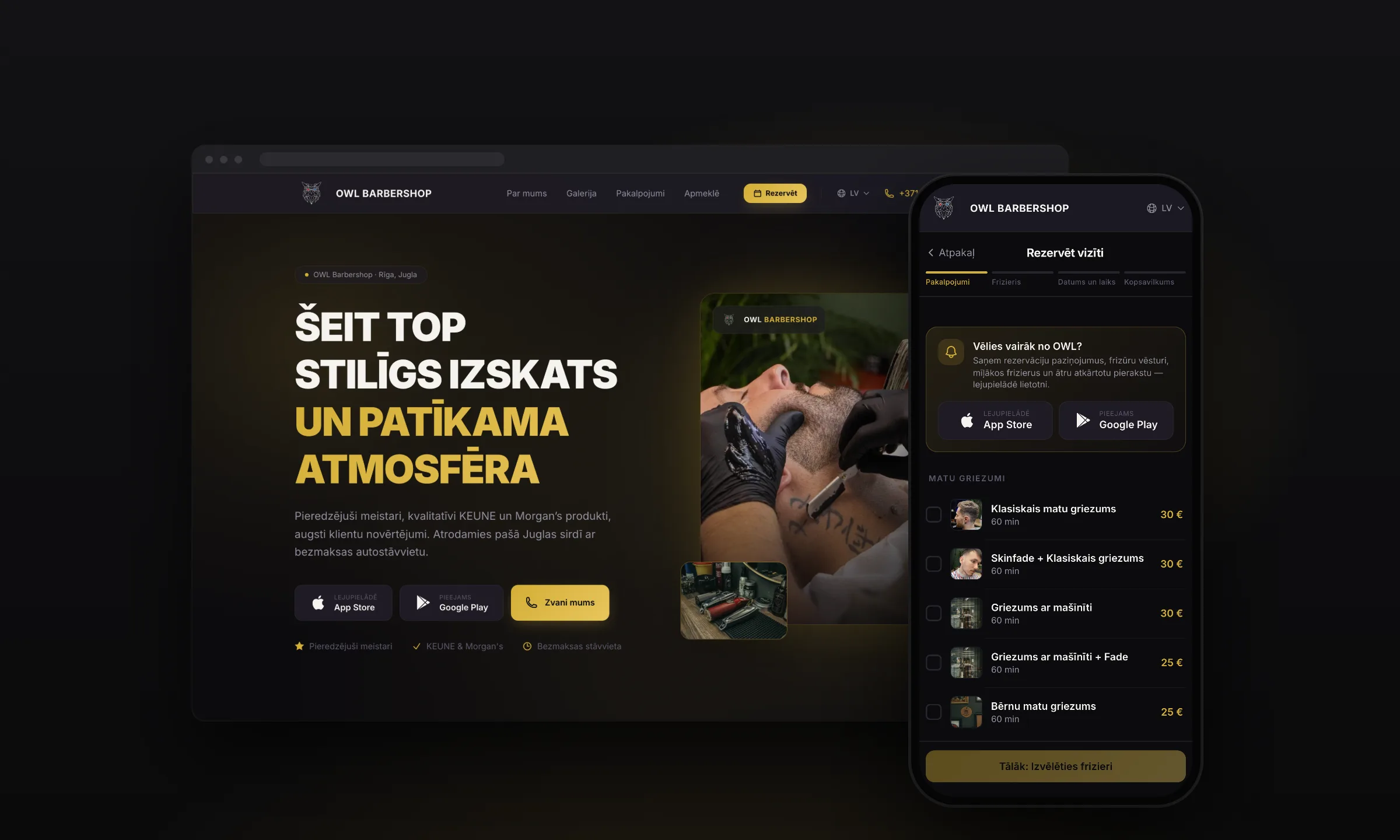
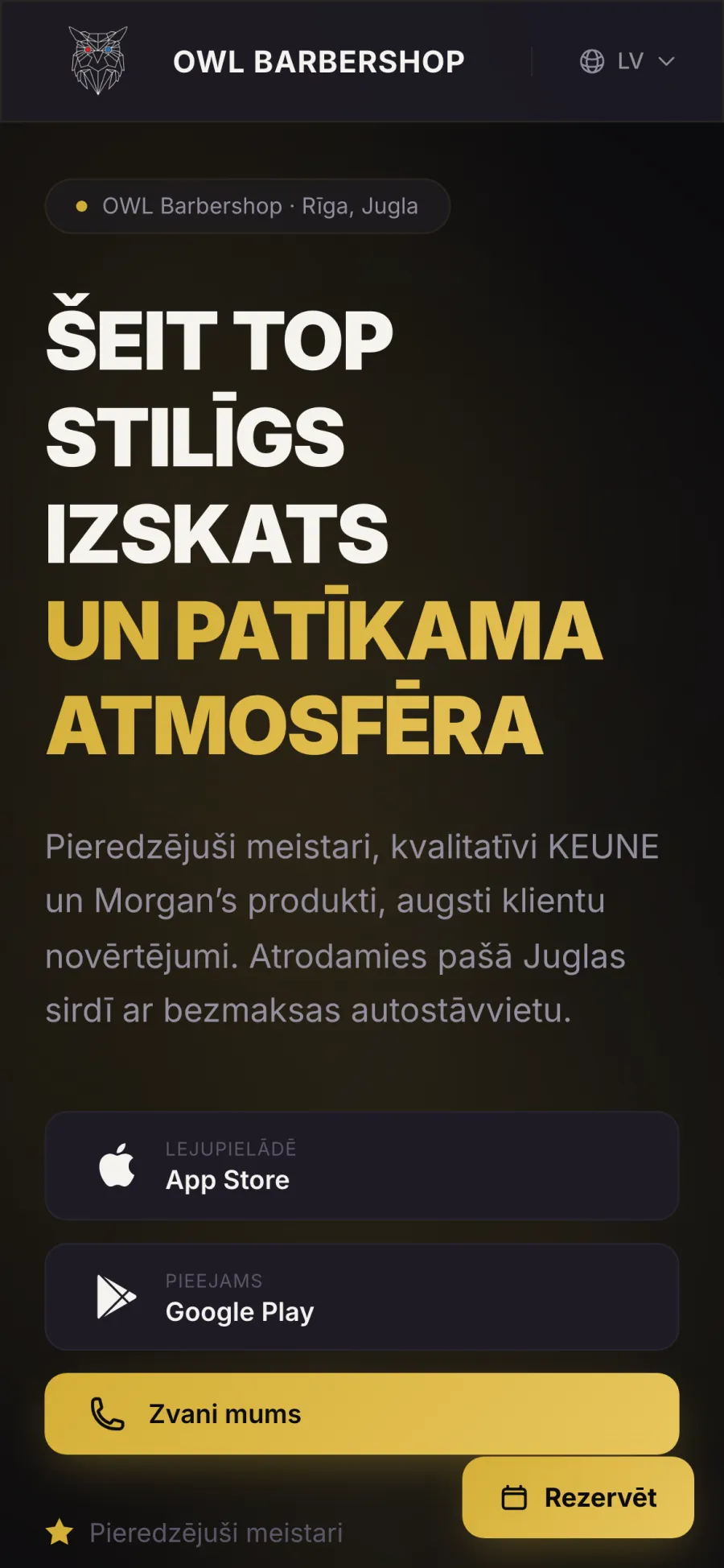
The website
The shop’s storefront in three languages, with a Book button that stays on screen.
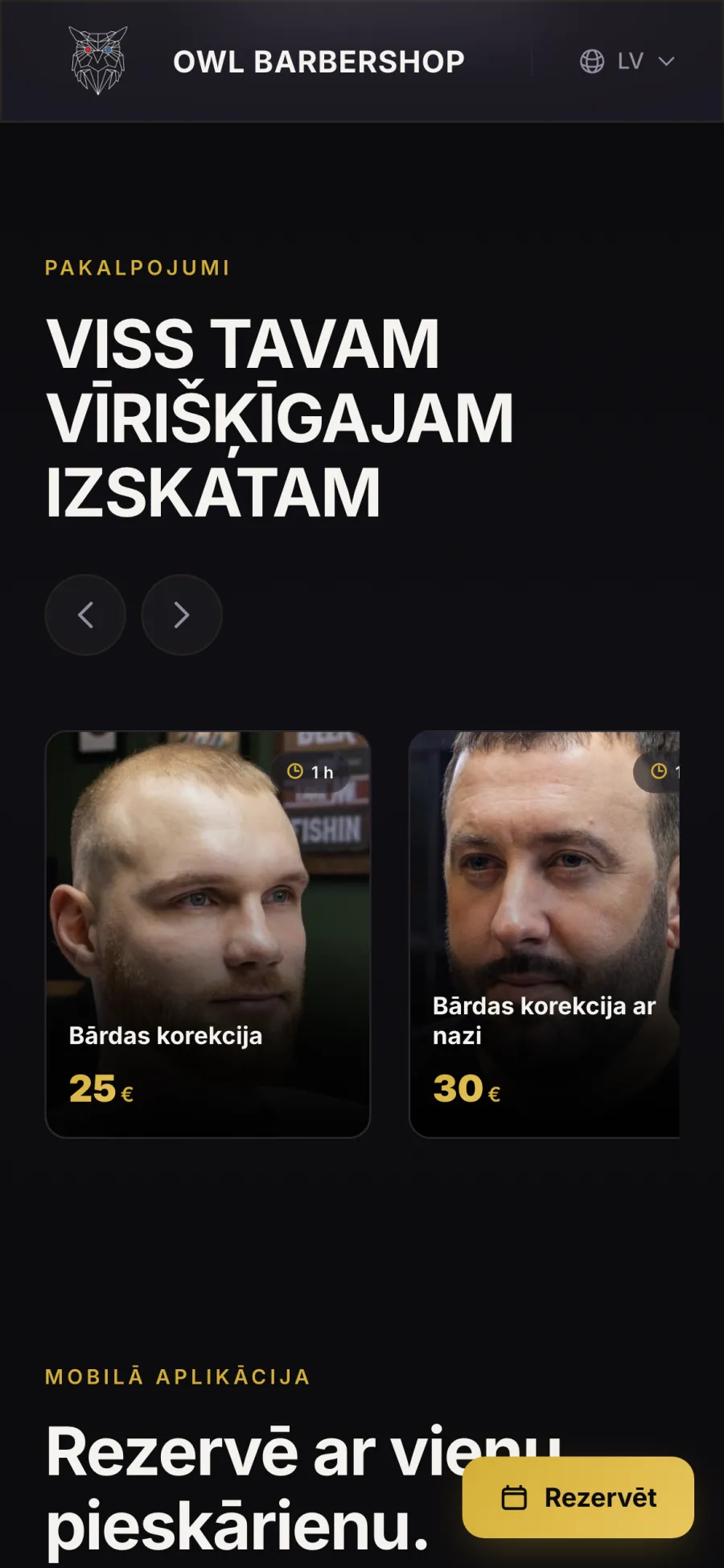
Services and prices
The prices come straight from the booking system, so they are never out of date.
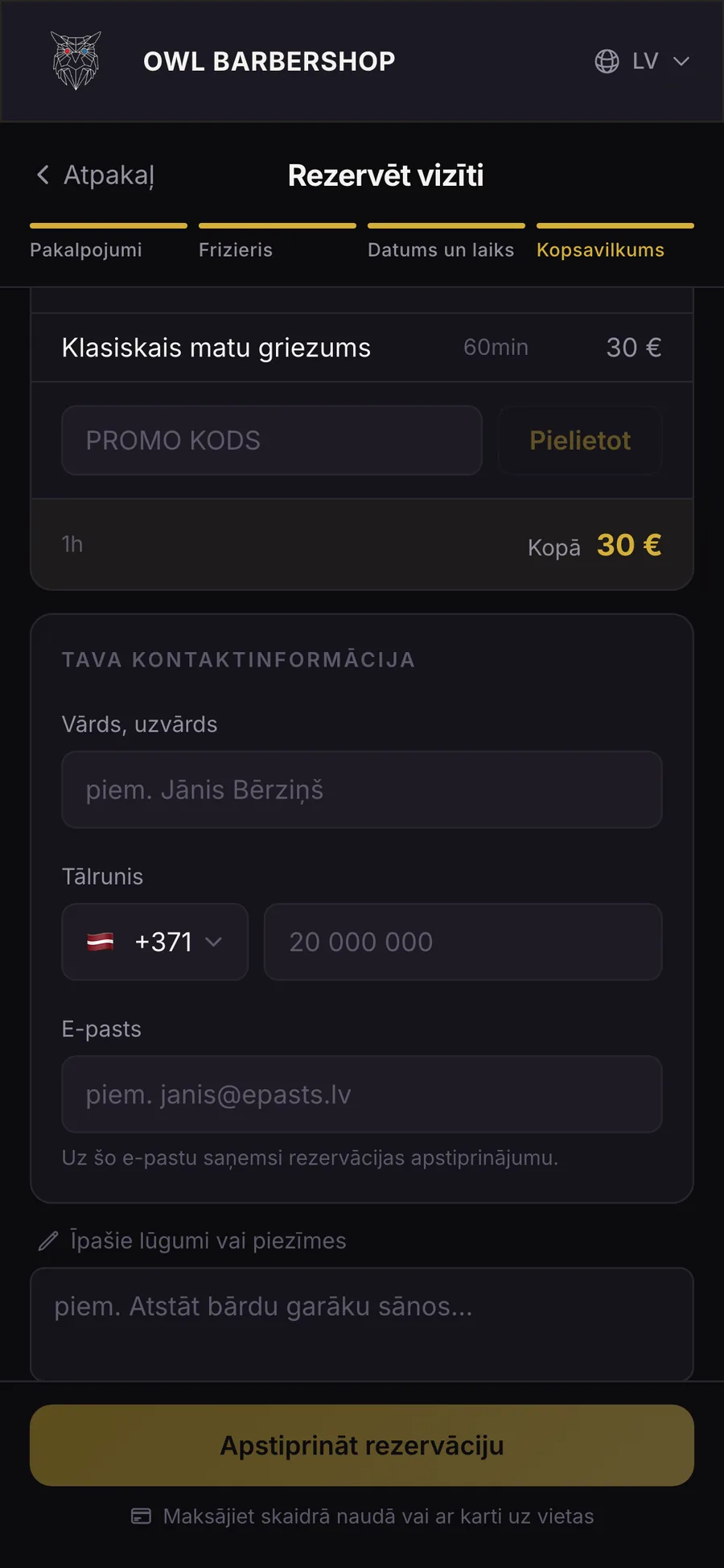
Booking on the web
Four steps, no account and nothing to install.
06
The owner’s side
Everything it takes to run the day, from a phone or a browser
Requests, confirmed in one tap
Online bookings arrive as requests. The owner or a barber approves or declines each one with a tap, and marks the visit done or a no-show.
The day at a glance
Today’s bookings, the planned revenue, the week’s earnings and the rating, on the first screen of the staff app.
One calendar for both channels
A day view per barber, with the old portal’s bookings in it too. Press, hold and drag a booking to another time or barber, and clashes are checked as it moves.
Walk-ins, clients and numbers
A walk-in or a phone booking goes in within seconds. Clients can be marked VIP or blocked and sorted by spend or visits, and the statistics show bookings, revenue, new clients and each barber’s results.
One app, three roles
The owner, the manager and each barber sign in to the same apps and see what their role allows. The admin panel does all of it in a browser, and adds marketing and the website.
07
Everything in the system
For reference: what each part does
Client app
iPhone and Android, in Latvian, English and Russian.
Sign in with Apple or Google, or book as a guest
Name and phone always required, Latvia by default
Home with the next booking, barbers, services and search
A location page with photos, call, opening hours and directions
Barber profiles with services, portfolio, reviews and rating
Several services in one booking, with total price and duration
“Any available barber” picks the earliest free one
Dates up to 30 days ahead; a full day offers the next free one
A note to the barber, a booking code and add to calendar
Upcoming and past bookings
Cancel up to 2 h before, move up to 4 h before
Push and an in-app inbox, in the client’s language
Reviews with stars and a comment, after a completed visit
Staff mode
The same apps, by role: owner, manager, barber.
Today’s bookings, planned revenue, the week’s earnings and rating
Approve or decline requests in one tap
Mark the next client done or a no-show
A day calendar per barber
Drag a booking to another time or barber, in 15-minute steps, with live clash checks
Block time for one barber or the whole shop
Bookla’s bookings in the same calendar
Walk-ins and phone bookings in seconds
Reservations with search, filters and internal notes
Clients: VIP, block, sort by spend or visits
Services and barbers in three languages, weekly hours and breaks
Statistics: bookings, revenue, rating, new clients, cancellations, per barber
Admin panel
The whole shop in a browser, in three languages.
Dashboard, calendar, reservations with their change history
Clients, barbers, services and closures
Review moderation and analytics
Promo codes, accepted in web booking
Push campaigns in three languages, with audience counts and send history
A “rebook” campaign
Reminder timing
Pause bookings or show an announcement in the apps
Every website text in three languages, plus photos and store links
A printable QR code
Privacy and terms editors
Booking engine
Behind both apps and the website.
Free times from each barber’s hours, breaks and service length
Booked, blocked, closed and Bookla time left out
No double bookings
Bookings arrive as requests staff confirm
Finished visits marked automatically, no-shows recorded
Reminders at set times, 24 h, 2 h and 1 h by default
A review request after each visit
“Time for your next cut” with three free times at the client’s own barber
Booking emails for web guests
Two-way sync with Bookla
Delivery checked every hour, with an alert if a check fails
A change history for every booking and a log of staff actions
Analytics only after consent, no third-party ad trackers
Website and web booking
owlbarbershop.lv in Latvian, English and Russian.
Services with live prices from the booking system
A floating Book button on phones
Set up for local search on Google, in all three languages
Share previews per language for WhatsApp, Telegram and Facebook
Nothing jumps or flickers while the page loads
Booking in four steps: service, barber, time, contact details
A nearest free time button
No account and nothing to install
Add to calendar after booking
A gentle nudge to get the app, for regulars
One QR code that sends each phone to the right place
08
The same approach, for your business
See it live
The app is on the App Store and Google Play, and the website takes bookings at owlbarbershop.lv. Open it and see what a client sees.
A salon, a nail or brow studio, a physio or dental clinic, a car service, a tattoo or fitness studio: any business that lives by appointments can take its bookings back the same way, without switching overnight. Tell us how you take bookings today.